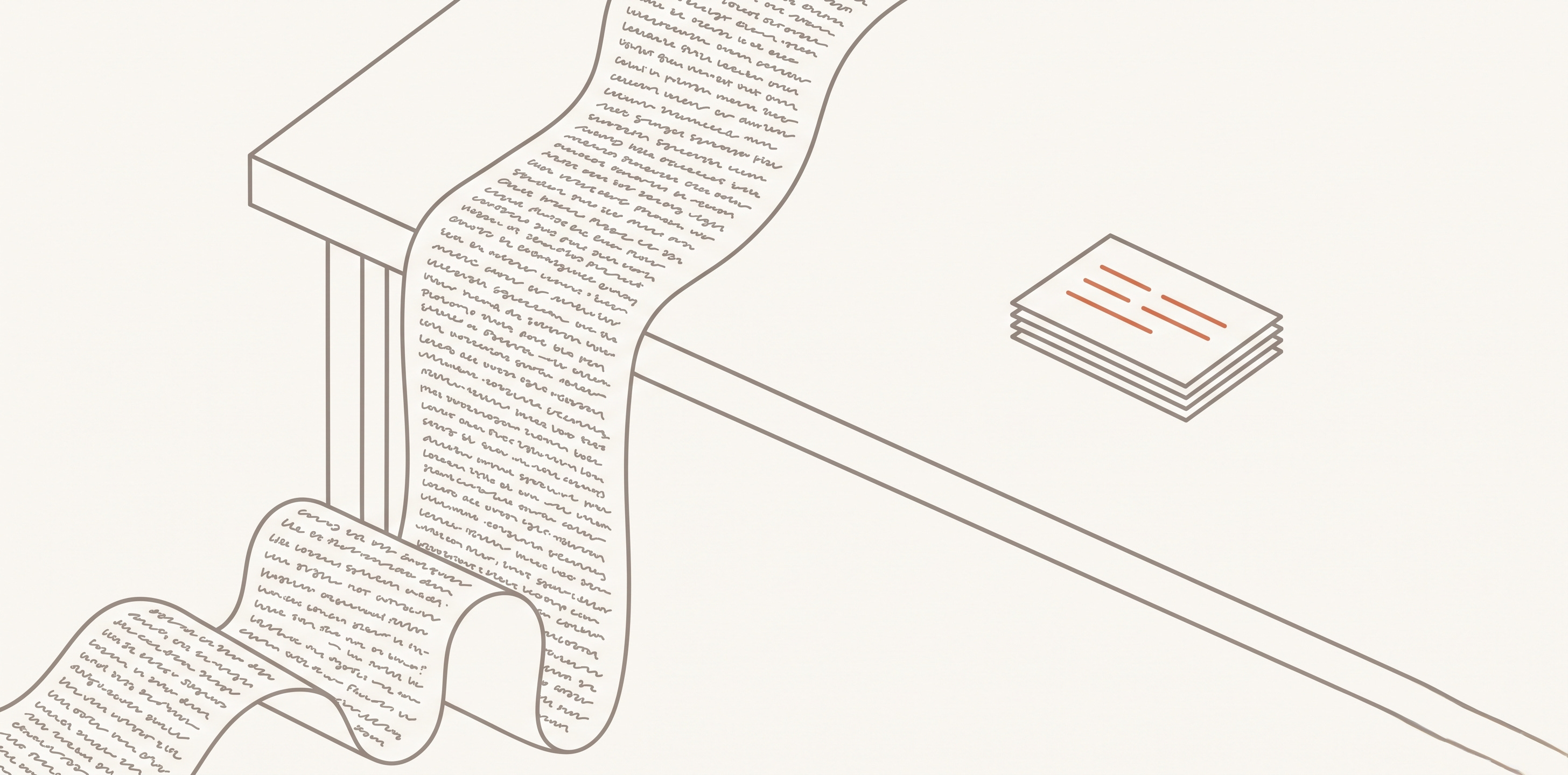
On Tuesday you and Claude Code work through something hard. A bug that took four wrong guesses before it cracked. You close the laptop feeling good.
On Friday you need it again. That session is somewhere in a list of thirty others with names like “fix login.” You open it. Two thousand lines of back and forth. You scroll for five minutes, give up, and solve the whole thing from scratch.
I did that enough times to build something for it.
Why the transcript doesn’t help
A transcript is a recording. It has everything in it, which is the problem. It’s ordered by when you said things, not by what you learned. Most of it is throat clearing: false starts, a failed command, you saying “no, the other file.” The good part is four sentences in the middle, and you can’t find them without reading the whole thing.
So don’t save the transcript. Save what came out of it.
Write two things, not one
At the end of a session, write:
What happened today. One dated page. What you built, what you decided, what’s still open.
What’s now true. A separate page per topic, with no date on it. How the deploy works. Why that library fights you. The gotcha that cost you two hours.
The second kind is the whole point, and it’s the part I kept skipping. Dated pages pile up and go quiet, because I never browse last month by date. Topic pages get better every time I touch them.
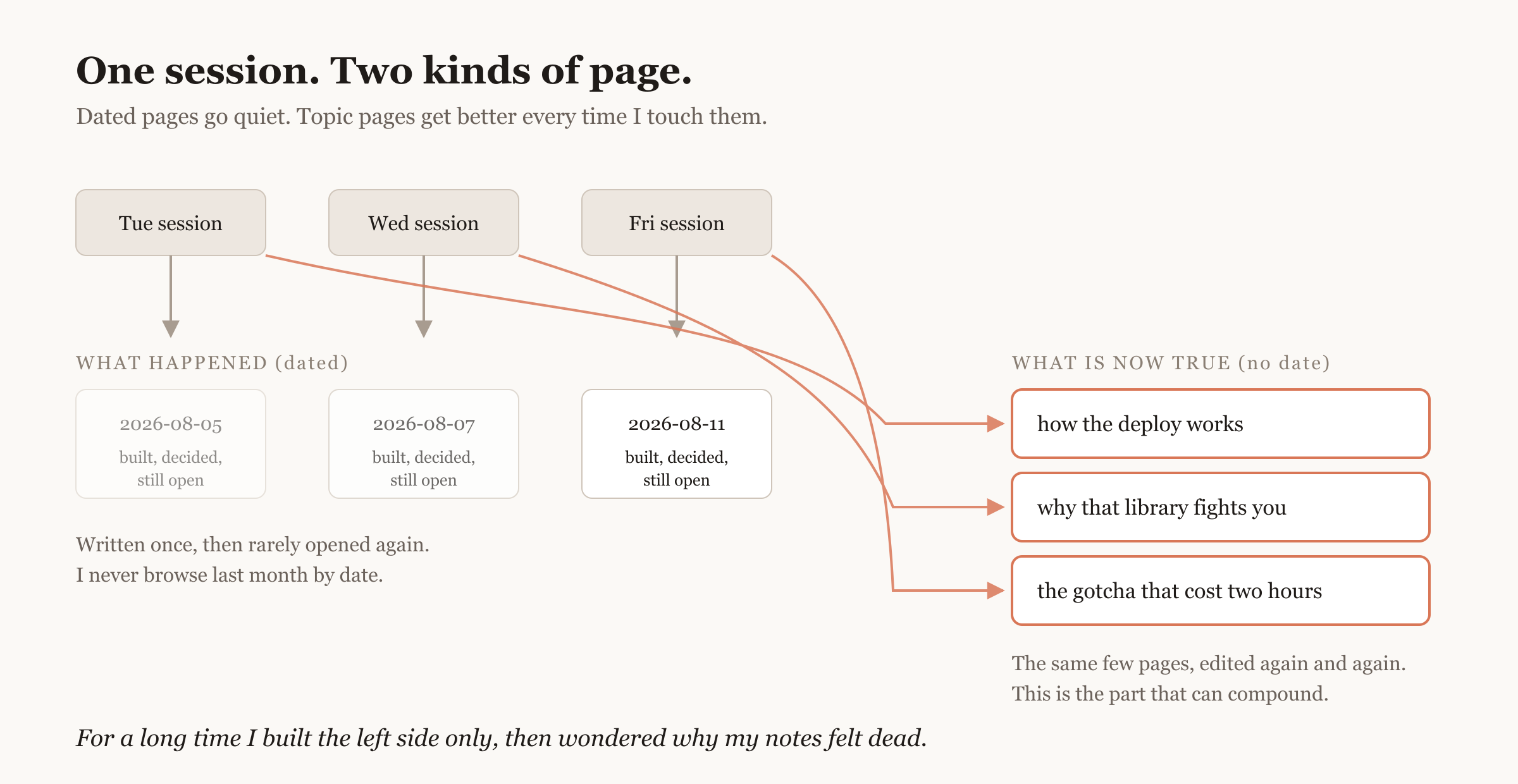
For a long time I built the left side only, then wondered why my notes felt dead.
Here’s a topic page. Short, opinionated, no story in it. The block fenced by --- at the top is called frontmatter: settings your tools read, not text for you.
---
title: Deploy cache
updated: 2026-08-22
---

# Deploy cache

The cache does not clear on deploy.

- Deploys swap the containers. The cache lives outside them, so it survives.
- To clear it, flush it yourself as an explicit deploy step.
- Symptom when you forget: new code, old values, nothing in the logs.

Corrected 2026-08-22. This page used to say the deploy cleared it.
Worth knowing before you get excited: I counted mine. Two months, 39 sessions, 90 topic pages, and only about one in six has ever been edited after the day it was written. So the compounding is real and thinner than I’d assumed. If you’re making two new pages a session and never reopening one, you’re building a pile with better filenames.
Where the files go
Plain markdown on your disk. Not a database, not a service.
/Users/you/notes/
  hot.md                the short catch-up page
  projects/
    my-app/
      sessions/         the dated pages
      concepts/         the topic pages
Two naming rules, and they matter more than they look. Filenames all lowercase with hyphens, like deploy-cache.md. And unique across the whole folder, not just per directory, because links resolve by filename. My first version was one flat folder and it worked until about sixty files. When I reorganized, every link was by filename, so I moved every file and nothing broke.
The catch-up page
hot.md is the one to get right. When you start a fresh session, the agent can’t read a hundred files. It can read one short page. So write the short page on purpose and keep it under a screen.
# Hot

## Working on now
**my-app, login retries.** Retry wrapper is in, three tests still red.

## Recently learned
- The deploy does not clear the cache. Flush it explicitly. [[deploy-cache]]
Nothing loads it for you. Put one line in your project’s CLAUDE.md: At the start of a session, read /Users/you/notes/hot.md. And be clear about what that buys. The agent reads one page, not the archive. It gets caught up. It doesn’t get smart.
When a note turns out to be false
Notes go stale. Take the cache page above. It used to say the cache cleared on deploy, and two months later I checked properly and it doesn’t.
The failure isn’t being wrong. It’s leaving two answers standing. You write a new dated page saying “actually it doesn’t clear,” and the old topic page still claims it does.
So when something you wrote turns out to be wrong, go edit that page. Correct it in place. Say what it used to claim.
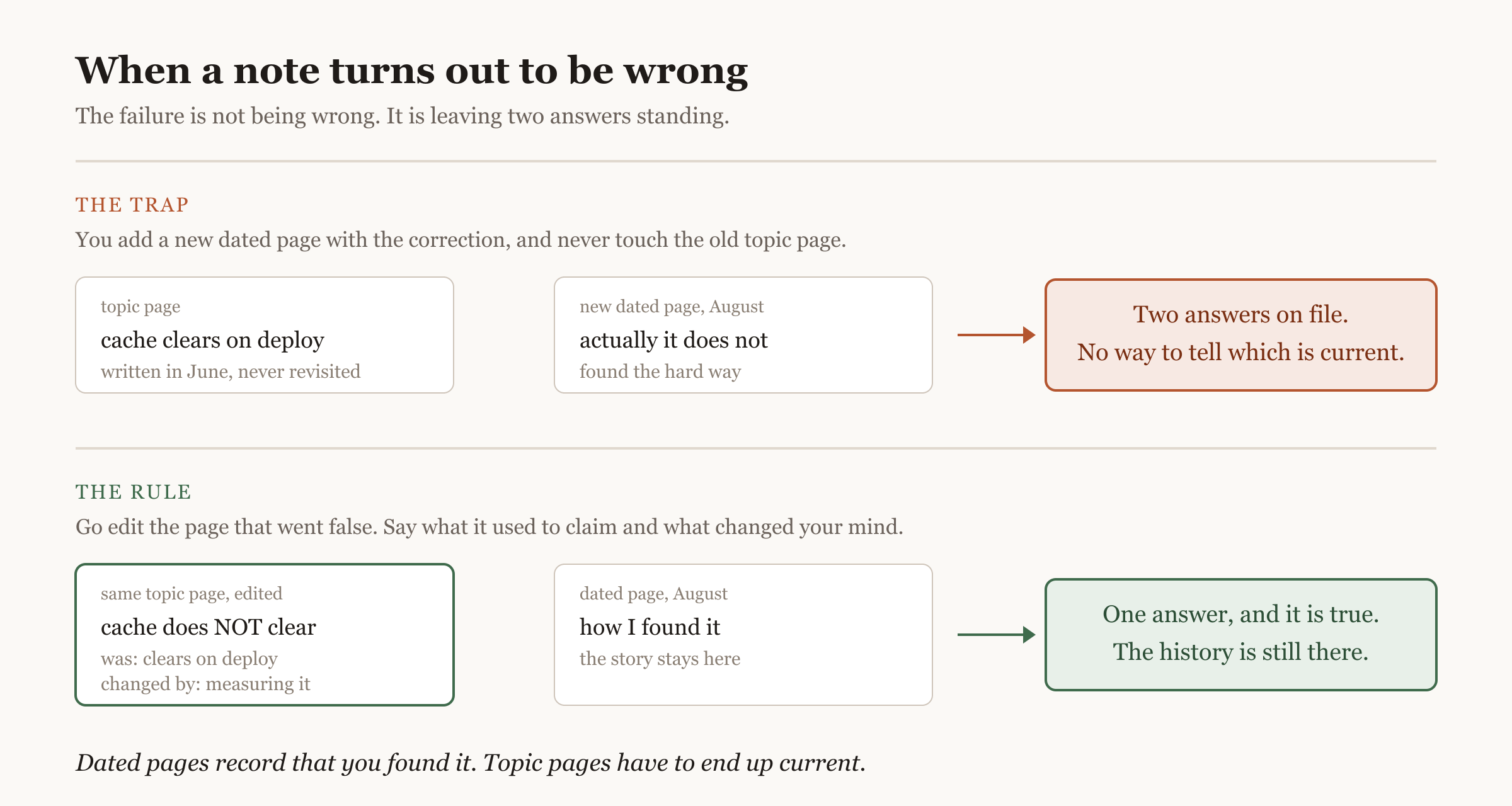
Dated pages record that you found it. Topic pages have to end up current.
One thing I won’t pretend about: an agent writes these pages. It’ll file something you were only speculating about into a folder called “what’s now true,” in the same confident tone as the things you checked. Skim them before you close the laptop.
What not to save
Skip mechanical sessions. Renamed variables, bumped a version. Nothing became true.
Skip debugging that went nowhere.
Never paste the transcript in. If you’re pasting, you’re recording again.
If you can’t name one thing you know now that you didn’t this morning, don’t save it.
Make it a skill
You should never do any of the above by hand. You type one thing and the agent does it. Mine is one markdown file, about seventy lines, no code in it.
---
name: save-session
description: >
  Summarize the CURRENT coding session and file it into my notes at
  /Users/you/notes as a dated session page plus durable topic pages.
  Triggers on "save this session", "save session to my notes",
  "archive this session".
allowed-tools: Read, Write, Edit, Glob, Grep, Bash(date:*), Bash(git -C /Users/you/notes:*)
---

# save-session

Root: `/Users/you/notes`. Not iCloud, not Documents. If it's missing, STOP and ask.

1. Get today's date with `date +%F`. Do not guess it.
2. Scan the conversation: what shipped, what was decided, what's still open.
3. READ BEFORE WRITING. Check what already exists. If today's page exists,
   update it, never make a -v2. If a topic page covers this, reuse it. Glob
   `/Users/you/notes/**/<filename>.md` first: the working directory is the
   code repo, not the notes folder.
4. Write the dated page under `projects/<project>/sessions/`.
   Sections: Shipped, Decided, Open.
5. Create or update topic pages under `projects/<project>/concepts/`.
   If this session proved one wrong, EDIT IT and bump `updated:`.
6. Refresh `hot.md`. Keep it under a screen.
7. Commit: `git -C /Users/you/notes add -A` then
   `git -C /Users/you/notes commit -m "save: <project> <date>"`.
8. List every file you changed.

Rules: filenames lowercase-with-hyphens, unique across the whole folder.
Link with `[[filename]]`, never file paths. Skip mechanical sessions.
Mark anything unverified as a guess.
Set it up
mkdir -p ~/notes && cd ~/notes
git init && git commit --allow-empty -m "empty vault"
mkdir -p ~/.claude/skills/save-session
That empty commit matters: git only hands back versions you committed.
Then paste the block above into ~/.claude/skills/save-session/SKILL.md, without the backtick fences, and put your own path everywhere /Users/you/notes appears. The file has to be named SKILL.md, and the folder name is what becomes the command.
Your notes folder sits outside the repo you’re working in, so run /add-dir /Users/you/notes at the start of the session, or add it to permissions.additionalDirectories in ~/.claude/settings.json. Merge that key into what’s already in the file. Don’t paste over it.
Then start a fresh session, run /skills, and check save-session is listed. If it isn’t, the file is in the wrong place or misnamed.
Start here
Run /save-session at the end of your next real session, then read what it wrote. It’ll be wrong in small ways the first few times: wrong project, a new page where an edit belonged. Fix the skill file, not the output.
grep -r and /resume get you part of the way to all this. What they don’t give you is a page that got corrected when you learned you were wrong.
The one-liner: A transcript is what you said. Notes are what became true.
The views expressed here are my own and are not related to or reflective of my work or any organization I am affiliated with.